




Digital Detox Without Going Off-Grid: A Realistic Guide to Healthy Screen Boundaries

It’s 1am. You’re tired. You still scroll.
Then you wake up groggy, late, and annoyed at yourself.
Table Of Content
- What a Digital Detox Really Means (and What It Doesn’t)
- Moderate vs Complete Detox (Who Each Fits)
- No, We Don’t Have to Throw Away the Phone
- Signs Your Screen Habits Are Costing You More Than Time
- Sleep Signals: Doomscrolling and Late-Night Stimulation
- Work-Life Blur: After-Hours Email and Constant Pings
- Myth or Miracle? What Research Actually Suggests
- Why “One-Day Detox” May Not Change Much
- Why Reduction Can Beat Total Abstinence
- The Screen Boundaries Blueprint
- Boundary #1: Time (When We Use Screens)
- Boundary #2: Place (Where Screens Are Allowed)
- Boundary #3: Purpose (Why We’re Picking It Up)
- Boundary #4: People (Who Can Interrupt You)
- Set Up Your Phone So Good Habits Are the Default (Tools That Matter)
- Android Digital Wellbeing: Dashboard, App Timers, and Focus Mode
- iPhone Focus: Allow or Silence People and Apps
- “Out of Sight” Tactics
- Protect Your Sleep (The Easiest High-ROI Detox)
- If Stopping Feels Impossible, Reduce the Hit
- Why It Matters: Problematic Phone Use Links With Poor Sleep
- Morning Without the Scroll (Start Calm, Stay Focused)
- A 10-Minute Re-Entry Ritual
- Social Media Detox (Without Ghosting Your Life)
- Replace Passive Scroll With Active Connection
- Curate Without Drama
- Digital Detox for Work (Realistic Boundaries for Busy People)
- “I’m in Focus Mode” Scripts That Reduce Awkwardness
- A 7-Day Digital Detox Plan (Without Going Off-Grid)
- Day 1: Track, Don’t Judge
- Day 2: Pick One Screen-Free Zone
- Day 3: Set One Focus Block
- Day 4: Build the Screen-Down Hour
- Day 5: Fix Notifications
- Day 6: Social Media Check-In Windows
- Day 7: Keep What Helps, Drop What Doesn’t
- Troubleshooting (Why It Feels Hard and What to Do)
- If Anxiety Spikes, Try a 5-Minute Breathing Reset
- How to Know It’s Working (Simple Metrics)
- FAQ
- What is a digital detox?
- Do we need to go off-grid to do a digital detox?
- How long should a digital detox last: one day, a week, or longer?
- Does a digital detox actually improve wellbeing?
- Is reducing screen time better than quitting completely?
- What are the biggest benefits of a digital detox?
- How do we stop scrolling at night and protect sleep?
- What’s the best way to set screen boundaries that stick?
- How do we use Focus Mode or Do Not Disturb correctly?
- What if we need the phone for work?
- How do we handle FOMO during a detox?
- What should we do instead of being on the phone?
If your sleep’s messy, your energy’s low, and your brain feels foggy, you’re not failing.
You’re living in a world built for constant connectivity.
Most advice makes it worse. “No screens ever.” “Wake at 5.” “Try a strict routine.”
Real life doesn’t work like that.
This guide is a digital detox that fits real life.
We’ll keep the phone. We’ll change the pattern.
We’ll also talk about your circadian rhythm. That’s your body clock.
When screens push it around at night, sleep and mornings often suffer.
What a Digital Detox Really Means (and What It Doesn’t)
A digital detox isn’t “phones are bad.”
It’s choosing when and how screens get your attention.
For many people, screen time reduction works better than a total ban.
Research suggests results vary, but reducing social media or smartphone time (not total abstinence) can show more benefit for many people.
Moderate vs Complete Detox (Who Each Fits)
A moderate tech detox is usually the best place to start.
It keeps work, maps, family chats, and real needs in place.
A complete detox can help in short bursts.
But if you come back to the same settings, the same apps, and the same habits, it rarely sticks.
No, We Don’t Have to Throw Away the Phone
Phones aren’t just entertainment.
They’re tickets, banking, school messages, and group chats.
So we’re aiming for healthy screen boundaries.
Not a fantasy life with zero notifications.
Signs Your Screen Habits Are Costing You More Than Time
Screens don’t only take minutes.
They take calm.
If any of these feel familiar, you’re not alone: overwhelm, distraction, endless scrolling, and that “always checking” pull.
You might also notice stress and anxiety rising when the phone’s close.
Or FOMO kicking in the second you look away.
Sleep Signals: Doomscrolling and Late-Night Stimulation
If you scroll in bed, your brain stays “on.”
That can delay sleep and make wake-ups feel heavier.
Evening screens can get in the way of sleep.
A simple, effective step is avoiding phones and tablets before bed.
Bright screens and stimulating content can keep the brain alert when it should be winding down.
Work-Life Blur: After-Hours Email and Constant Pings
Work doesn’t end when notifications don’t end.
That “quick reply” at 10pm often becomes 45 minutes of email, apps, and one more check.
If your sleep schedule’s irregular, this can be a big reason.
Your body clock likes steady cues, not late-night spikes.
Myth or Miracle? What Research Actually Suggests
Here’s the honest bit.
Evidence is mixed.
Some findings suggest that avoiding social media doesn’t automatically improve wellbeing.
Other research shows outcomes vary widely depending on what “digital detox” means and how it’s done.
So what tends to work?
Targeted reduction, plus better defaults.
That’s why this guide focuses on intentional use, not a grand “quit everything” plan.
Why “One-Day Detox” May Not Change Much
A single day can feel refreshing.
But it can also bounce back hard the next day.
If we want a steadier change, we need a system we can repeat.
That’s what comes next.
Why Reduction Can Beat Total Abstinence
Many people do better with small, repeatable limits.
Research often points to reducing use showing more positive results than total abstinence in several cases.
That’s good news.
It means we can keep what we need and still protect sleep and focus.
The Screen Boundaries Blueprint
We’ll use four simple rules:
Time. Place. Purpose. People.
This gives you one framework you can use at home, at work, and on weekends.
No extreme routines needed.
Boundary #1: Time (When We Use Screens)
Pick “check-in windows.”
That’s when you’re allowed to check apps, email, and news.
Start with three windows: mid-morning, lunch, early evening.
Outside those, we use Do Not Disturb (DND) or Focus Mode.
This lowers the “always on” feeling.
And it cuts the reflex checks that drain attention.
Boundary #2: Place (Where Screens Are Allowed)
Make two screen-free zones.
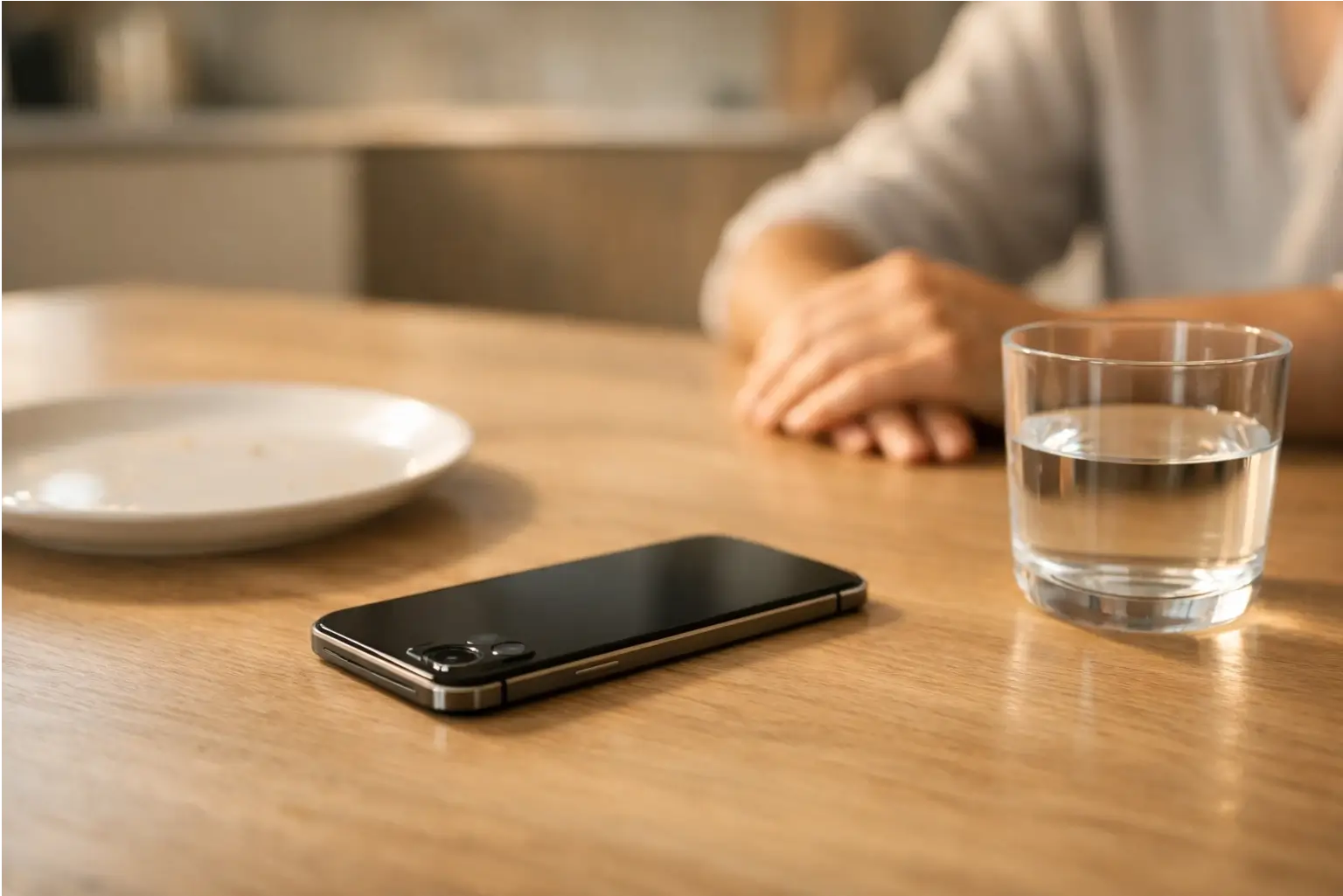
Most people start with the bed and the table.
Bed is for sleep and rest.
Meals are for eating and talking, even if it’s just you and a podcast.
If the phone must be near, flip it face down.
Better: charge it in another room.
Boundary #3: Purpose (Why We’re Picking It Up)
Ask one quick question: “What am I here for?”
If you can’t answer in a sentence, you’re probably scrolling.
Purpose turns mindless use into mindful use.
It also helps with FOMO, because you’re choosing, not reacting.
Try this line out loud: “I’m checking messages, then I’m done.”
It sounds basic. It works.
Boundary #4: People (Who Can Interrupt You)
Some interruptions matter.
Most don’t.
This is where Focus settings help.
You can choose which people and apps can notify you during a Focus, and you can allow repeated calls and emergency contacts if you want safety coverage.
That’s the goal.
Less noise, but urgent stuff still gets through.
Set Up Your Phone So Good Habits Are the Default (Tools That Matter)
Willpower gets tired.
Settings don’t.
Android Digital Wellbeing: Dashboard, App Timers, and Focus Mode
Android’s Digital Wellbeing tools can show screen time, how many times you unlock, and how many notifications you get.
It can also help you set app timers and manage your time on the phone.
A simple setup looks like this:
Set app timers for your biggest time-sink apps, then use Focus Mode for deep work blocks.
If you use a Work profile, keep work apps inside that space.
Then silence them after work hours.
iPhone Focus: Allow or Silence People and Apps
On iPhone, Focus lets you pick who and what can notify you.
You can also allow calls from certain groups, allow repeated calls, and allow emergency contacts even when notifications are silenced.
This matters if you’re a parent, a carer, or “on call.”
You can protect your evening without missing something urgent.
“Out of Sight” Tactics
Make the phone harder to grab.
That’s not silly. That’s design.
Charge it away from the bed.
Keep it off the sofa arm.
If you keep picking it up, move it.
Distance breaks the habit loop.
Protect Your Sleep (The Easiest High-ROI Detox)
Sleep is the anchor.
When sleep improves, everything else gets easier.
Your circadian rhythm responds to light and dark.
At night, melatonin rises to support sleep, and bright screens can get in the way.
Avoiding screens before bed can help you fall asleep faster.
That’s not about fear. It’s about giving your brain a clearer “night signal.”
If Stopping Feels Impossible, Reduce the Hit
Start with the last 60 minutes.
That’s your “screen-down hour.”
If you slip, make it gentler.
Lower brightness, avoid intense content, and keep the phone off your face.
Use Sleep Focus or DND.
Let only key people through.
Why It Matters: Problematic Phone Use Links With Poor Sleep
This isn’t only about minutes.
It’s about the pull.
Some findings suggest problematic smartphone use can be linked with poor sleep, even after accounting for time spent on the phone.
That supports a key point: how we use the phone can matter as much as how long.
Morning Without the Scroll (Start Calm, Stay Focused)
Mornings set the tone.
A frantic start often leads to a messy day.
Your body clock likes strong morning cues.
Light in the morning helps set your internal day-night rhythm.
So we’ll build a “no screen start.”
Not forever. Just a small buffer.
A 10-Minute Re-Entry Ritual
Keep it simple.
We’re not adding a long routine.
Drink water.
Open curtains or step outside for a few minutes of daylight.
Then write three lines: today’s top task, one must-do, one nice-to-do.
Now the day has a plan, not a feed.
Social Media Detox (Without Ghosting Your Life)
Social media isn’t all bad.
But it’s built to keep you there.
FOMO is real.
So is the anxiety spike when you see everyone else “doing more.”
A social media detox can be light.
It can mean fewer checks, fewer triggers, and less passive scrolling.
Replace Passive Scroll With Active Connection
Swap 10 minutes of scroll for one message.
Text one friend something specific.
Or call someone on your walk.
That’s still your phone, but it’s real connection.
Curate Without Drama
Mute accounts that wind you up.
Unfollow if you need to.
Move apps off the home screen.
Keep them in a folder so you choose them, not the other way round.

Digital Detox for Work (Realistic Boundaries for Busy People)
Work needs screens.
That doesn’t mean work needs your whole evening.
Start with email windows.
One in the morning. One after lunch. One late afternoon.
Then add Focus Mode blocks for deep work.
Android and iPhone both support Focus-style setups and notification controls.
“I’m in Focus Mode” Scripts That Reduce Awkwardness
Try one of these. Keep it calm.
“I’m in Focus Mode till 11. If it’s urgent, call twice.”
“I check email at 10, 1, and 4. Message me if it’s time sensitive.”
You’re not being difficult.
You’re protecting attention so you can do better work.
A 7-Day Digital Detox Plan (Without Going Off-Grid)
This is a reset.
Not a personality change.
Day 1: Track, Don’t Judge
Check your screen time, unlocks, and notifications, just once.
Look at the basics and move on.
Day 2: Pick One Screen-Free Zone
Start with bed or meals.
Keep the phone in another room when you can.
Day 3: Set One Focus Block
Choose a 60–90 minute work block.
Silence everything except key contacts.
Day 4: Build the Screen-Down Hour
Aim to avoid screens in the hour before bed.
Make it your wind-down buffer.
Day 5: Fix Notifications
Turn off non-essential app alerts.
Keep calls and messages from key people.
Day 6: Social Media Check-In Windows
Two short checks. That’s it.
Put the app away after.
Day 7: Keep What Helps, Drop What Doesn’t
Results vary by person and situation.
Keep the parts that fit your life.
Troubleshooting (Why It Feels Hard and What to Do)
It can feel weird at first.
Silence leaves space.
Boredom shows up.
So does the urge to “just check.”
That’s normal.
The brain likes the quick hit of novelty.
If Anxiety Spikes, Try a 5-Minute Breathing Reset
Simple breathing can help in the moment.
Breathing slows the body’s stress response and can help you feel steadier.
Try this: breathe in slowly through your nose, then breathe out slowly.
Do it for a few minutes, and keep your phone face down while you do.
If anxiety feels constant, or sleep stays broken for weeks, speak to your GP.
Support exists, and you don’t need to tough it out alone.
How to Know It’s Working (Simple Metrics)
We don’t need fancy tracking.
We need signals we can spot.
Check these once a week:
screen time, unlocks, notifications, sleep quality, and morning energy.
Also notice one human measure.
How often do you feel present in a conversation?
If you’re sleeping a bit earlier, waking a bit easier, and scrolling less at night, that’s progress.
Small changes stack.
FAQ
What is a digital detox?
A digital detox is a planned break from some digital media use, often focusing on phones, apps, and social media.
It can be full abstinence or a reduction.
There’s no single definition, so it helps to set a clear goal, like fewer notifications or less night scrolling.
Do we need to go off-grid to do a digital detox?
No. Most people do better with screen time reduction and simple boundaries than with total disconnection.
Keeping your phone for work, family, and safety is fine.
The key is changing defaults, like notifications and bedtime use, so you’re choosing when you check.
How long should a digital detox last: one day, a week, or longer?
A week is long enough to notice patterns without turning it into a strict rule.
One day can feel good but may not change habits.
A longer plan works best when it’s built on repeatable boundaries, like a screen-down hour and fewer notification interruptions.
Does a digital detox actually improve wellbeing?
Sometimes, but not always. Evidence is mixed, and results depend on the person, the plan, and what’s being reduced.
Some people find that stopping social media doesn’t automatically improve wellbeing.
Many people still benefit from fewer interruptions and more intentional use.
Is reducing screen time better than quitting completely?
For many people, yes. Reduction often fits real life better, which makes it easier to keep going after the “detox” ends.
Many people also see better outcomes with targeted reduction than with total abstinence.
What are the biggest benefits of a digital detox?
The most common wins are fewer distractions, better focus, and calmer evenings, which can support sleep.
Many people also report feeling less overwhelmed by notifications and constant connectivity.
Benefits vary, so it helps to pick one goal, like protecting bedtime or work focus.
How do we stop scrolling at night and protect sleep?
Start with the last hour before bed. Avoiding screens before sleep is a strong first move.
Use DND or Sleep Focus, charge your phone away from the bed, and keep only urgent contacts able to reach you if needed.
What’s the best way to set screen boundaries that stick?
Use a simple system: Time, Place, Purpose, People.
Set check-in windows, create one screen-free zone, decide why you’re picking up the phone, and choose who can interrupt you.
Then back it up with phone settings, so the boundary happens even when you’re tired.
How do we use Focus Mode or Do Not Disturb correctly?
Use Focus or DND for blocks of time, not only in emergencies.
Pick a work block or your wind-down hour.
Allow only key people and key apps through, and silence the rest.
Use built-in controls like timers and notification settings to reduce interruptions.
What if we need the phone for work?
Keep the phone. Change the rules.
Use email windows, Focus blocks, and separate work apps if you can.
Let colleagues know when you check messages.
Allow work-related contacts and apps during work time, then silence them after hours.
How do we handle FOMO during a detox?
Name what you’re afraid of missing, then pick one place to check it on purpose.
FOMO gets louder when checks are random and constant.
Turn social media into a scheduled choice, and swap passive scrolling for one active connection, like a message or a call.
What should we do instead of being on the phone?
Pick replacements that fit the moment.
In the evening, go low-stimulation: shower, light stretch, paper book, or tidy a small area.
In the day, go active: short walk, quick chat, or a simple task.
Replacing the habit matters more than deleting the app.







[…] Digital detox stays often pair well here too. Less scrolling usually means fewer last-minute “should we change everything?” moments. […]
[…] guide focuses on digital nomad destinations 2026 and digital nomad cities 2026 where the remote work ecosystem is strong: […]