




Anti-brain-rot tech: why e-readers and dumb phones are back in 2026
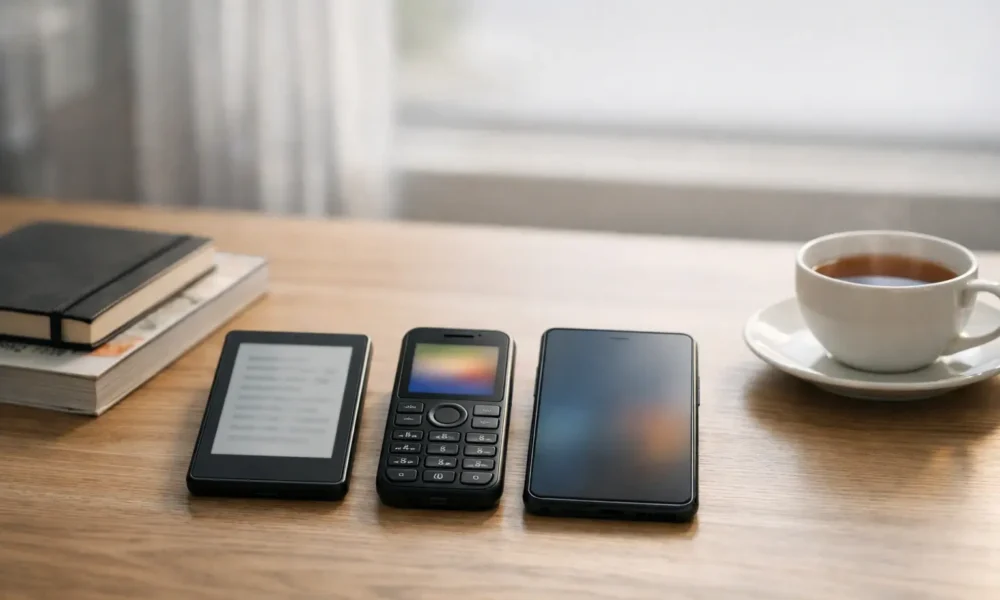
My inbox has a pattern right now.
People aren’t asking, “What phone should I buy?”
They’re asking, “How do I stop my phone from eating my day?”
If you’re feeling swamped, you’re not alone. New features land weekly, privacy settings move, and every platform wants more of your attention. Half the advice online sounds confident, then falls apart when you try it in real life.
That’s why “anti-brain-rot tech” is having a moment. It’s not about hating modern tools. It’s about choosing gear that makes scrolling harder and the useful stuff easier.
What does “brain rot” mean, and why are people trying to escape it?
“Brain rot” is a culture term for the feeling that too much low-value online content makes you foggy, distracted, and less sharp. Oxford University Press picked it as its 2024 Word of the Year after a big public vote, which shows how common the worry has become.
Oxford’s write-up frames it as “perceived” decline linked to heavy exposure to trivial content. It’s not a medical diagnosis. It’s a plain-language way to describe a real frustration: you open your phone for one thing, then lose 40 minutes.
The phrase also isn’t new. Sources link early use to Henry David Thoreau and his 1854 book Walden, long before TikTok existed.
Why “anti-brain-rot” gadgets are trending now
Attention fatigue is showing up in buying choices. People want tech that does the job, then gets out of the way.
We’re also seeing “retro tech” energy in mainstream coverage. A big CES 2026 trends roundup called out simpler, productivity-leaning devices as part of the year’s themes. That matters because it signals demand, not just nostalgia.
A useful way to think about it is this:
Smartphones are designed to reduce friction.
Anti-brain-rot tech adds friction on purpose.
That friction can look like slower scrolling, fewer apps, or a physical switch that changes how the phone behaves. When it works, you end up using tech more like a tool and less like a slot machine.
Category 1: pocket e-readers and phone-like e-readers
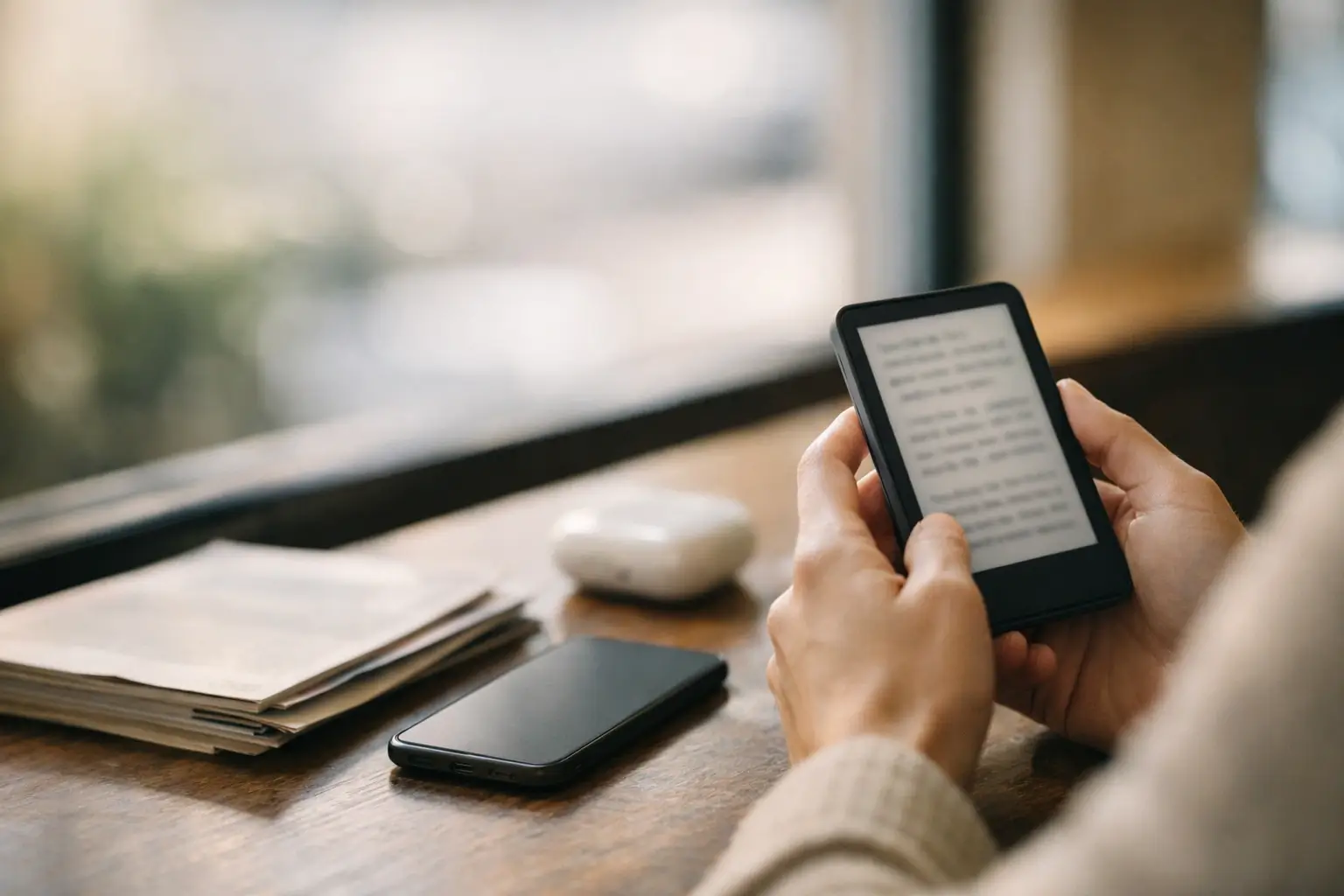
These are small e-readers that feel phone-shaped, but act reading-first. Some run Android and can open apps, but the screen itself changes the vibe.
Why E Ink feels different (and why that matters)
E Ink screens don’t work like LCD or OLED. They use tiny microcapsules with black and white particles that move when an electric field changes.
The practical result is simple:
The display looks more like paper.
Fast scrolling feels worse.
That “worse” part is a feature for many people. If your goal is fewer dopamine loops, a screen that makes feeds less fun can help.
What these devices do well (reading, notes, calmer browsing)
Pocket e-readers shine at long-form reading, newsletters, and saved articles. They often feel comfortable in bright light and don’t blast your face with a glossy, mirror-like panel.
A lot of people expect Amazon Kindle-style reading here, and that’s the right mental model. In fact, one TechRadar piece tried replacing a smartphone with a phone-sized e-reader for everyday tasks, using a Boox Palma model as the case study.
What they do badly (video, fast scrolling, calls)
Here’s the reality check. Video is rough on most E Ink screens. Typing can feel slow. Some models lack proper phone features like SIM support, so they can’t fully replace your mobile.
That’s why I treat pocket e-readers as one of two things:
- A “reading phone” that rides alongside your real phone
- A near-phone for people whose life doesn’t rely on constant messaging, QR codes, and work logins
If your job needs multi-factor authentication every day, plan for that before you buy.
Category 2: “smart-dumb” hybrids (phones with paper modes)
This category is sneaky. It looks like a normal smartphone. Then you flip a switch and it turns into something calmer.
Matte screens, less glare, and blue-light controls
Hybrid phones often use an LCD panel with a matte layer and software modes that aim for a paper-like look. That matters because you get smoother motion than E Ink, but with less glare than many glossy displays.
Physical mode switches: what changes
A flagship example is TCL’s NXTPAPER approach.
In 2024, TechRadar covered TCL phones with a physical “NXTPAPER Key” that swaps display modes and turns on a more reading-first “Max Ink” mode. The same article notes AI features tied to a partnership with Microsoft.
In early 2026, Android Central described the NXTPAPER 70 Pro as using a matte display and multiple “paper” modes (including Max Ink), controlled by a physical switch.
Are these “real” E Ink?
Sometimes yes, often no.
TechRadar itself points out that TCL’s “e-ink format” wording is unclear, and it may not be licensed E Ink at all. Android Central is more direct: it says the NXTPAPER 70 Pro emulates E Ink while keeping LCD benefits.
So here’s the clean takeaway:
E Ink is usually best for reading-first comfort and battery.
Paper-mode LCD is usually best for “I still need WhatsApp and maps.”
Category 3: dumbphones and feature phones
This is the hard reset option. Calls and texts come back. The app store disappears.
You gain battery life and calm. You also lose convenience that you might not notice until day three.
Lists like “best dumbphones” keep ranking because people want straightforward picks, not a philosophy lecture. The Telegraph ran a UK-focused dumbphone guide in January 2026 that highlights models like Nokia 3210 4G and Nokia 110 4G.
One more key name here: HMD markets feature phones as an escape from heavy social media use, and Nokia-branded models remain central to that space. Nokia is still the brand most people recognise when they think “basic phone,” even if the company story is more complex now.
What you gain: battery, calm, simplicity
Battery can last days, not hours.
The home screen stops shouting at you.
Your phone becomes boring again.
For a lot of people, boring is the point.
What you lose: apps, modern workflows, and “just in case” tools
This is where people get stuck:
- Banking apps and card approvals
- Ride-hailing
- QR code menus
- Work chat and work logins
- Group chats that run family life
And yes, messaging can be a deal-breaker. WhatsApp says WhatsApp is no longer available on KaiOS devices. HMD also notes that WhatsApp on its KaiOS feature phones only stayed operational for some users until early 2025, under specific conditions.
So if “I need WhatsApp” is non-negotiable, most true dumbphones won’t fit.
One UK warning: don’t buy a 3G-only phone
In the UK, 3G has been switched off on major networks on rolling schedules. Ofcom has a clear summary of provider timelines.
Also, the UK plan is to retire 2G by 2033 at the latest. That’s set out in a House of Commons Library briefing.
So in 2026, a “new” dumbphone should support 4G for calls and texts. If it doesn’t, skip it.
Which anti-brain-rot device should you buy?
Pick based on the one thing you can’t lose. If you must have WhatsApp, maps, and banking, start with a hybrid phone or a stripped-down smartphone setup. If reading is the goal, a pocket e-reader fits. If you want a hard reset, a 4G dumbphone works best.
A simple router that actually holds up
If you only read one part of this page, read this.
- “I need WhatsApp daily.”
Go hybrid, or use a normal smartphone in “soft detox” mode. A true dumbphone likely fails you here. - “I mainly want to read.”
Go pocket e-reader. It adds friction to feeds and makes long text feel easier. - “I want a hard reset.”
Go 4G dumbphone. Plan a backup for maps, banking, and work logins.
Quick comparison table
| What you need most | Best fit | Common deal-breaker |
|---|---|---|
| WhatsApp + maps + less scrolling | Hybrid “paper mode” phone | It still has apps |
| Reading-first, calmer screen | Pocket e-reader | Calls and typing may be weak |
| Minimal life, fewer temptations | 4G dumbphone | No modern apps, WhatsApp often gone |
How to switch without breaking your life (setup plan)
Start small. Plan the boring parts first. That’s where most “digital detox” attempts fail.
Step 1: sort your non-negotiables
Write down your daily must-haves:
- Messaging (WhatsApp, SMS, Signal)
- Maps
- Banking
- Work login (MFA)
- Family logistics (school updates, group chats)
If you can’t name your must-haves, you’ll pick the wrong device and blame the whole idea.
Step 2: handle MFA and account security before you swap
This is the part nobody wants to talk about. It’s also where people get locked out.
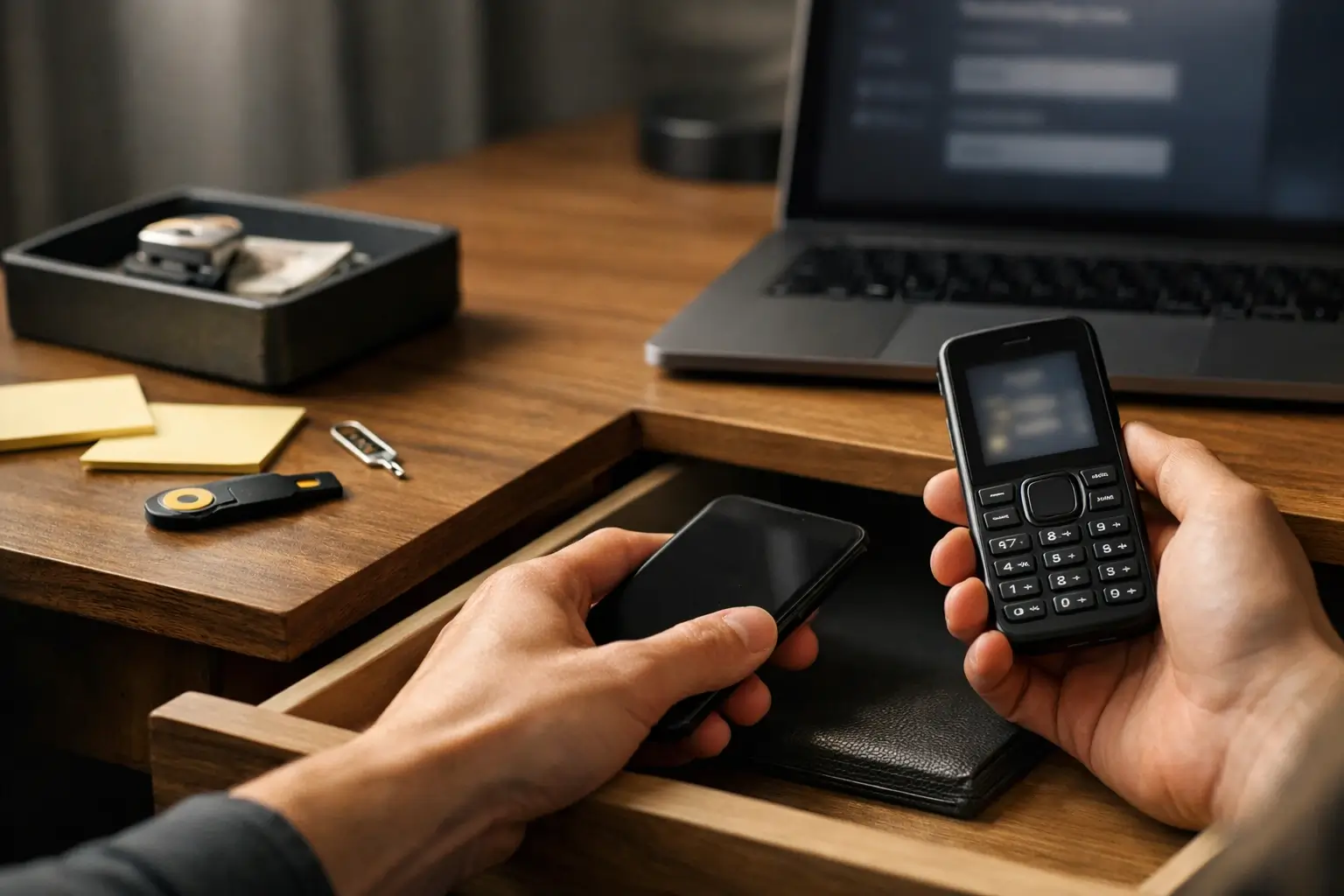
If work or banking uses authenticator apps, you may need a smartphone somewhere in your system. That can be your “home phone” that stays in a drawer most days.
Also, be careful with SMS codes. The UK’s National Cyber Security Centre has guidance on 2-step verification and also warns that SMS can be risky in high-stakes processes because of SIM swap threats.
Practical options that work:
- Prefer authenticator apps over SMS where you can
- Keep backup codes in a safe place
- Add a strong SIM PIN with your mobile network, if offered
- Use a passcode on any device you keep at home too
Step 3: choose your “two-device” rules
For many people, the sweet spot is two devices:
- A dumbphone for calls and texts when you’re out
- A smartphone at home for banking, tickets, and work logins
This setup sounds clunky. In practice, it can feel freeing, because the “everything device” stops being your pocket default.
If you go two-device, set rules you’ll follow:
- Smartphone stays at home on weekdays
- Notifications off on the home phone
- No social apps on the home phone, or they get buried
Step 4: make boredom easy, not painful
If the new device feels punishing, you’ll bounce back.
So I suggest one comfort hook:
- A podcast player
- A decent music option
- A great reading app on an e-reader
You’re not trying to win a suffering contest. You’re trying to change habits that don’t feel great right now.
What’s next: minimalist e-paper devices and new releases
This space is moving fast in a very specific way: more “single-purpose” products that still run enough modern software to stay useful.
Android Central recently covered the DuRoBo Krono, a phone-sized E Ink device running Android with a scroll wheel, but with software limits that still need polish. That mix, minimalist hardware plus “just enough” apps, is exactly what people want from anti-brain-rot tech.
Release timing matters too. Even paywalled coverage hints at how much readers care about “when can I buy it” for these devices, not just specs.
Bottom line: it works when friction is the point
Anti-brain-rot tech isn’t magic. It’s a trade.
You swap convenience for control. You trade “all apps, all the time” for “the few things I actually need.”
If you pick based on real-life blockers, you’ll feel calmer fast. If you buy based on vibes, you’ll get stuck on day two.
FAQs
What is anti-brain-rot tech?
Anti-brain-rot tech is hardware designed to reduce mindless scrolling by limiting apps, making feeds less appealing, or switching the screen into a reading-first mode. Tech outlets have used the term for e-readers, minimalist phones, and hybrids that restrict notifications. The goal is fewer rabbit holes, not zero tech.
It’s basically “do less” gear, built for attention control. Wallpaper’s roundup of low-tech devices frames it as tools that demand less from you day to day.
Is “brain rot” a real medical condition?
No. “Brain rot” isn’t a medical diagnosis, even though the feeling behind it can be real and frustrating. Oxford’s Word of the Year coverage treats it as a cultural phrase for the perceived effects of over-consuming low-value online content. It’s more about habits and attention than illness.
If you’re worried about mental health, talk to a professional. A new phone can’t replace proper support.
Are e-readers better for your eyes than phones?
Often, yes, for reading. E Ink screens reflect light more like paper, and many people find them more comfortable for long text than glossy phone screens. They also encourage slower reading because scrolling is less smooth. That said, front-lights and brightness still matter at night.
The biggest win is usually glare. Outdoors, E Ink can feel calmer than a shiny smartphone panel.
What’s the difference between E Ink and “paper-like” phone displays?
E Ink uses microcapsules with charged black and white particles that physically move to form text, which is why it looks paper-like and refresh can be slower. “Paper-like” phone displays usually mean LCD with a matte layer plus software modes that mimic paper.
Hybrids can still feel easier on the eyes, but they’re not the same tech as true E Ink.
Can I use WhatsApp on an e-reader or minimalist phone?
Sometimes, but don’t assume. Many pocket e-readers run Android and can install apps, but some lack SIM support, so they can’t act like a normal phone. On true feature phones, WhatsApp can be a dead end: WhatsApp says it’s no longer available on KaiOS devices.
If WhatsApp is vital, start your shopping with that requirement and filter hard.
Do dumbphones actually reduce screen time?
For many people, yes, because they remove the biggest time traps: social apps, short-form video, and endless feeds. A dumbphone won’t stop you using a laptop, but it can break the “pocket scroll” habit by making the phone boring again. That’s why UK guides keep pushing them for detox goals.
The key is planning for the stuff you still need, like maps and tickets.
What features should I keep if I’m quitting social media but not modern life?
Keep the features that stop daily friction: maps, secure login (MFA), banking access, and one reliable messaging option. Many people fail because they drop a smartphone, then can’t handle QR codes, travel changes, or account logins. If you keep those basics, you can cut feeds without cutting life.
This is where hybrids often win. They keep essentials while making scrolling less tempting.
What’s the best anti-brain-rot option for students?
It depends on how school works day to day. If group chats and maps matter, a hybrid phone or a stripped-down smartphone setup is safest. If reading and focus are the main goal, a pocket e-reader can help with long text. If exams need full lock-down, a 4G dumbphone can work.
I’d start by checking what apps your school and friends actually use.
What’s the best option for parents and kids?
For many families, a 4G feature phone is a good starter because it supports calls and texts with fewer distractions than a smartphone. UK roundups often recommend Nokia-style models for a simple, durable approach. The catch is messaging apps like WhatsApp may not work, so check that early.
Also check network support. A 3G-only phone is a bad buy in the UK now.
Should I switch fully, or do a two-device setup?
Two devices often work better than one, because it separates “connected” from “consumed.” A dumbphone covers calls and quick texts when you’re out, while a smartphone stays at home for banking, tickets, and work logins. This avoids the biggest blockers that cause people to quit and go back.
If you want a full switch, plan your MFA and messaging first so you don’t get locked out.







No Comment! Be the first one.